
-
 Media gallery

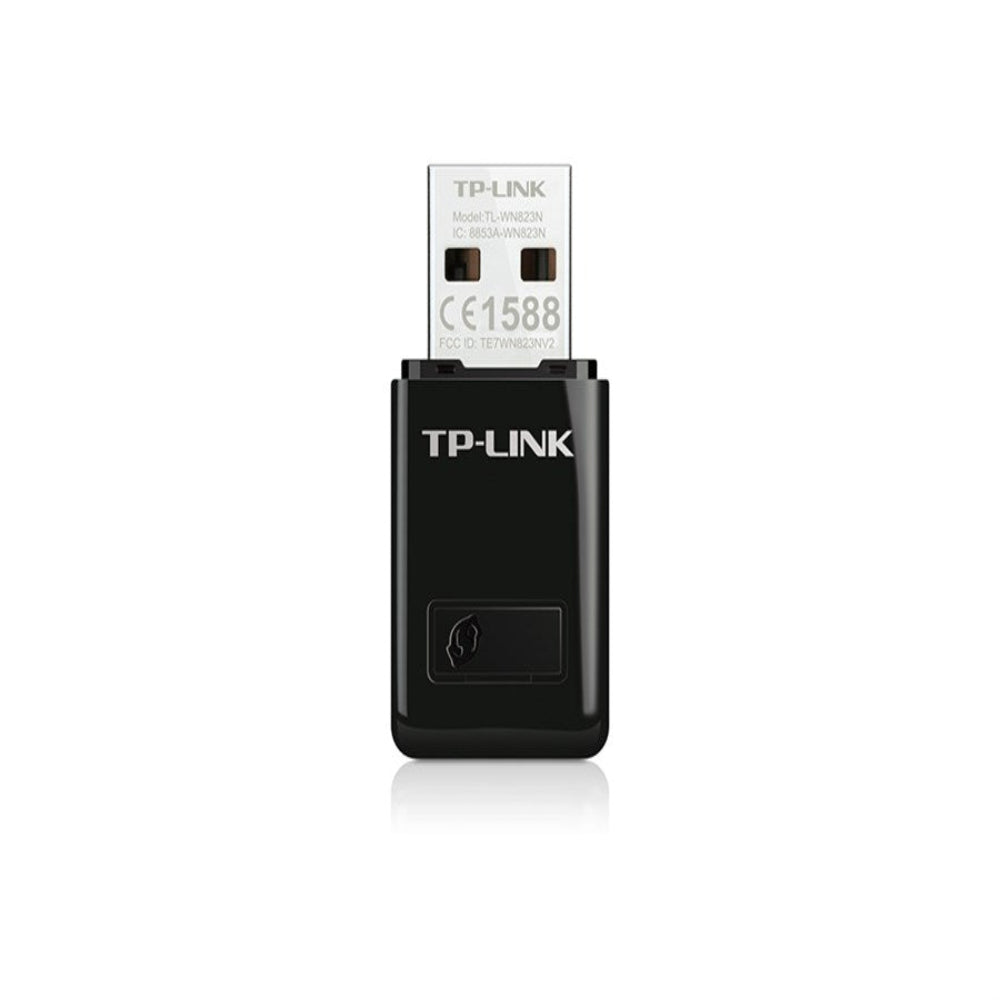
TP-Link WN823N 300Mbps Mini Wireless N USB Adapter
- Sale price
- Rs.3,500.00
- Regular price
-
Rs.4,500.00 - Regular price
- Rs.3,500.00
- Unit price
- per
Pay by bank transfer and save
4% + Rs. 249 offChoose Bank Deposit at checkout and enter both codes in the discount code box.
Guaranteed safe checkout
Couldn't load pickup availability
TP-Link TL-WN823N is a 300Mbps mini wireless N USB adapter that adds Wi-Fi to a desktop PC or laptop. Buy the TL-WN823N in Pakistan from dynsol.pk with Cash on Delivery and nationwide shipping. It plugs into a USB port, connects to 2.4 GHz networks and is small enough to leave in the port.
Key Features of the TL-WN823N
300Mbps Wireless N Speed
The adapter supports IEEE 802.11b/g/n on the 2.4 GHz band with speeds up to 300Mbps on 11n. TP-Link positions it for HD video streaming, voice calls and online gaming, and it works with existing 802.11b/g networks.
Mini Design
The official listing describes a design smaller than a typical USB flash drive, with dimensions of roughly 36.6 x 18.35 x 7.83 mm in the current datasheet. Earlier listings show 39 mm length, so dimensions can differ slightly by revision.
WPS Button
A WPS button allows one-touch secure connection to a router that supports WPS, so you do not need to type a long password.
Soft AP Mode
Soft AP mode lets a PC share a wired internet connection as a Wi-Fi hotspot. This feature depends on the version and the software utility.
Operating Systems and Security
The official listing names Windows 11/10/8.1/8/7/XP, Mac OS 10.15 and earlier, and Linux. Security options include WEP, WPA/WPA2 and WPA-PSK/WPA2-PSK.
TL-WN823N Specifications
| Specification | Detail |
|---|---|
| Interface | USB 2.0 |
| Standards | IEEE 802.11b/g/n |
| Frequency | 2.4 GHz |
| Maximum rate | 300Mbps (11n) |
| Antenna | Internal |
| Button | WPS |
| Security | WEP, WPA/WPA2, WPA-PSK/WPA2-PSK |
| Package | Adapter, resource CD, quick installation guide |
Note: specifications follow the official TP-Link listing. Maximum rates are theoretical and actual speed depends on your router and environment.
Setup and Installation
Insert the CD or download the driver from TP-Link for your operating system, install the utility, plug the adapter into a USB port and choose your Wi-Fi network. Press the WPS button on the router and adapter if you prefer one-touch connection.
Quick Buying Guide
| Model | Speed | Bands |
|---|---|---|
| TL-WN727N | 150Mbps | 2.4 GHz |
| TL-WN823N | 300Mbps | 2.4 GHz |
| Archer T2U Nano | AC600 | 2.4 + 5 GHz |
Usage and Care Tips
Plug it into a USB port with clear space around it, use a USB extension cable if the port is at the back of a case, and keep drivers up to date.
Who Should Buy the TL-WN823N?
It suits desktop PCs and older laptops without Wi-Fi. See our TP-Link Wi-Fi adapters collection.
Compatibility and Buying Notes
The TL-WN823N is a 2.4 GHz-only adapter, so it will not see a 5 GHz-only network. The official listing names Windows 11 through XP, Mac OS 10.15 and earlier, and Linux, so owners of newer macOS versions should check TP-Link's driver page first. The adapter is small enough to stay in a laptop port, but on a desktop it works better in a front or side port or on a short USB extension, away from metal case panels. For 5 GHz networks, look at the Archer T2U Nano instead.
You may also like the TP-Link Tapo C545D Outdoor Dual-Lens 2K 3MP Pan/Tilt Security Camera and the TP-Link Tapo C610 KIT Solar-Powered 2K Pan/Tilt Security Camera Kit.
Why Buy TL-WN823N from Dynsol.pk?
- Cash on Delivery with nationwide shipping across Pakistan.
- Selling electronics accessories since 2016.
- Visit our outlet at LG 54, Hafeez Centre, Gulberg III, Lahore (12:30 pm to 9 pm).
- Original stock backed by warranty handling.
TL-WN823N FAQs
Does it support 5 GHz?
No, it is 2.4 GHz only.
Does it work on Windows 11?
The official listing names Windows 11.
Is COD available for this product?
Yes. Pay the courier on delivery for orders up to Rs 20,000, or choose bank transfer, which is required above that amount.
Notified by email when this product becomes available

Rs.3,500.00
You may also like
Customers also bought these trending products


Xiaomi Mi WiFi Range Extender AC1200 Dual-Band 1200Mbps with Ethernet Port

